EN

A print label manufacturer meets high-volume production demands by coordinating capacity, materials, data, and quality control rather than relying on faster equipment alone. The process starts with a clear view of order mix and delivery requirements, then connects scheduling decisions to the production floor. When label printing software supports accurate job setup, teams can reduce avoidable delays while keeping output consistent.
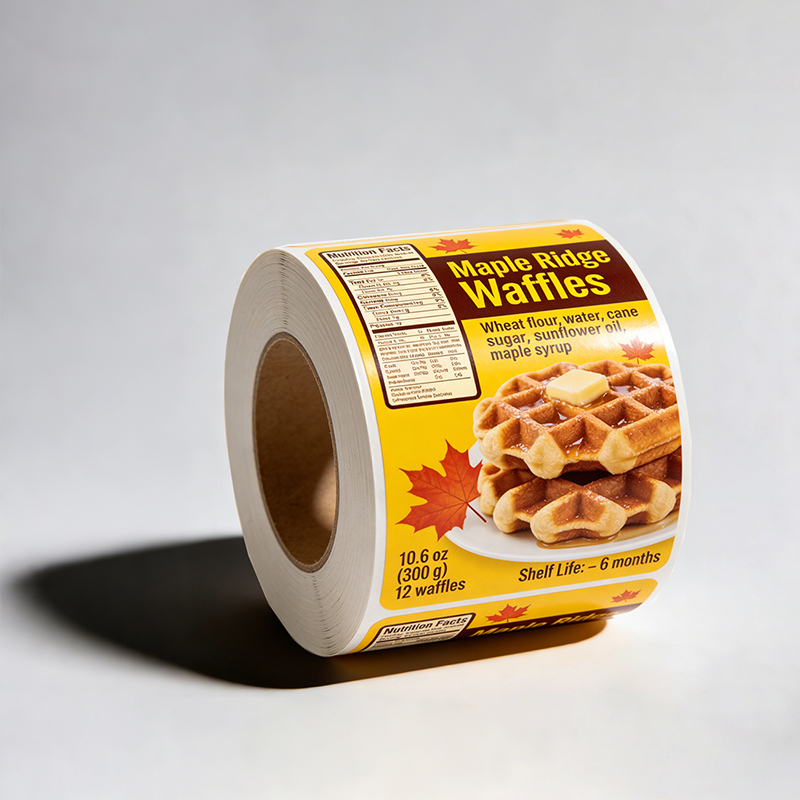
High volume does not mean every order is identical. A capable operation handles long runs alongside short, customized batches, with a barcode label printer and clear specifications helping convert approved artwork into dependable production. The manufacturer also needs flexible planning for stock, finishing, inspection, and packing. These decisions keep a print label workflow responsive without treating speed as the only measure of performance.
Build production capacity around real demand
Plan capacity by order mix and process time
A practical capacity plan begins with order profiles: run length, substrate, color requirements, finishing steps, and required ship date. A barcode label printer may support rapid output, but its contribution depends on setup time, material changes, and downstream finishing capacity. Manufacturers should map the whole route, including inspection and rewinding, so a busy press does not simply move a bottleneck to another station.
Historical job data helps planners distinguish recurring demand from unusual peaks. Label printing software can retain specifications and make repeat jobs easier to prepare, while production schedules reserve realistic time for setup and maintenance. Managers can then group compatible work when it makes operational sense, without postponing urgent jobs or compromising custom label design requirements.
Protect material flow and changeover readiness
High output depends on having suitable label stock, inks, cores, and packaging available when work is released. Teams should verify material specifications early, especially when orders require special adhesives, cold-storage performance, or particular roll dimensions. Label printing software helps keep job instructions aligned with approved specifications, while a barcode label printer must be configured for the chosen stock and intended application.
Changeovers become more predictable when operators can see the next job’s artwork, settings, and finishing needs before a run ends. Standardized setup notes reduce reliance on memory and make handoffs clearer across shifts. Custom label design files should be reviewed for dimensions, legibility, and required variable information before production, preventing late corrections that can interrupt an otherwise well-planned schedule.
Connect digital workflows to print-floor execution
Use controlled job data from approval through output
A digital workflow links the customer-approved file to production instructions and keeps revisions visible. Label printing software can organize job versions, capture key specifications, and reduce re-entry of details between departments. That control matters at scale because a small transcription error repeated across a large run can create substantial rework, delays, or unusable inventory.
Before release, staff should confirm that artwork, dimensions, material, and variable data match the order. A barcode label printer needs reliable input for symbology, size, and placement when the job includes scannable codes. Custom label design should account for the product surface and viewing conditions, not merely appearance on a screen. Approval checkpoints keep these requirements attached to the actual production job.
Make setup and changeovers repeatable
Repeatable setup instructions help operators move between jobs with fewer avoidable pauses. Label printing software can make current files and job notes accessible, while documented settings support consistent output across shifts. Teams still need to verify settings at the machine; saved information is a starting point, not a substitute for checking the material and first production samples.
For a barcode label printer, verification should include a scan test under conditions appropriate to the customer’s use. A code that looks clear may still fail if contrast, quiet space, or dimensions are unsuitable. Likewise, custom label design needs a final review when a revision changes text or layout. These checks fit into the workflow before full production, when corrections are less disruptive.
Maintain quality while increasing throughput
Build inspection into the production rhythm
Quality control works best as a defined part of the run, not a final hurdle after all labels are made. Operators can inspect initial samples and conduct planned checks for registration, color, cutting, winding, and variable content. Label printing software supports traceable job details, while a barcode label printer should be checked for consistent readability throughout production rather than only at startup.
Inspection criteria should reflect the product and its environment. Frozen-food packaging, for example, may call for attention to adhesion and readability after exposure to low temperatures and moisture. Custom label design can anticipate space for required information and keep essential elements legible at the finished size. Clear acceptance criteria help teams respond consistently when a sample falls outside specification.
Balance labor, maintenance, and delivery commitments
Equipment availability depends on planned maintenance, operator capability, and realistic shift coverage. Label printing software can provide useful production visibility, but supervisors must also review queue status, material readiness, and quality results. A barcode label printer needs routine care and correct setup to support dependable output; maintenance should be planned around demand rather than deferred until a fault stops work.
When demand rises, managers can assess overtime, shift changes, or adjusted job sequencing against delivery priorities and fatigue risk. Custom label design revisions should move through a controlled approval path so urgent changes do not create uncertainty on the floor. Tracking run time, waste, changeovers, and rework helps identify practical improvements. The aim is sustainable throughput: meeting committed volumes while preserving accuracy and product suitability.
FAQ
How does label printing software support high-volume work?
Label printing software can centralize approved job files, specifications, and revision details so staff spend less time searching or re-entering information. Its value depends on disciplined data management and clear release checks. It supports a controlled workflow but does not replace operator verification or production planning.
What should a manufacturer verify on a barcode label printer?
Check the selected stock, print settings, code placement, and scan performance using the intended application conditions. Confirm results at startup and during the run, particularly after a changeover. A capable barcode label printer still requires correct job data and suitable materials for reliable results.
When should custom label design be reviewed?
Review custom label design before approval and again whenever content, dimensions, substrate, or application conditions change. Production samples can confirm that the finished label remains legible and functional. Early review reduces the risk of discovering a specification issue after a high-volume run is complete.